
Possibly the most exciting new feature that I hope visitors will find useful is an update to the All Venues page.
Since the early days of the site, I had always wanted to find a way to be able to help visitors find a way to find a show geographically. I wanted to create a directory of sorts that would list information about the venues and lead you to learn more about what shows they were offering. So, after trial and error, I believe I have found a valuable solution to better enhance your experience.
When you click Venues in the main menu, you’ll be directed to a page that will provide you with a lot of information at your fingertips. The information and images below will provide you with a tutorial on how to use this feature:
- The First Visit
Upon arrival on the new venues page, you might be prompted to allow your location to be accessed. This is to help the application figure out where you are located as well as automatically provide a listing of venues nearby. You can also opt out of allowing your location being accessed in the event that you want to manually type it into the application’s search bar. However, I suggest that you allow your location be known, as it will allow the application to provide data more quickly.
2. Locations
Let’s say, for example, that you live in the Los Angeles area. After allowing your location to be made known, the application will automatically populate the results of the nearest venues within a defaulted 50-mile radius. (You can expand or shrink the distance by selecting the range in the toolbar. See point number 4 below.) Here’s how this would look:
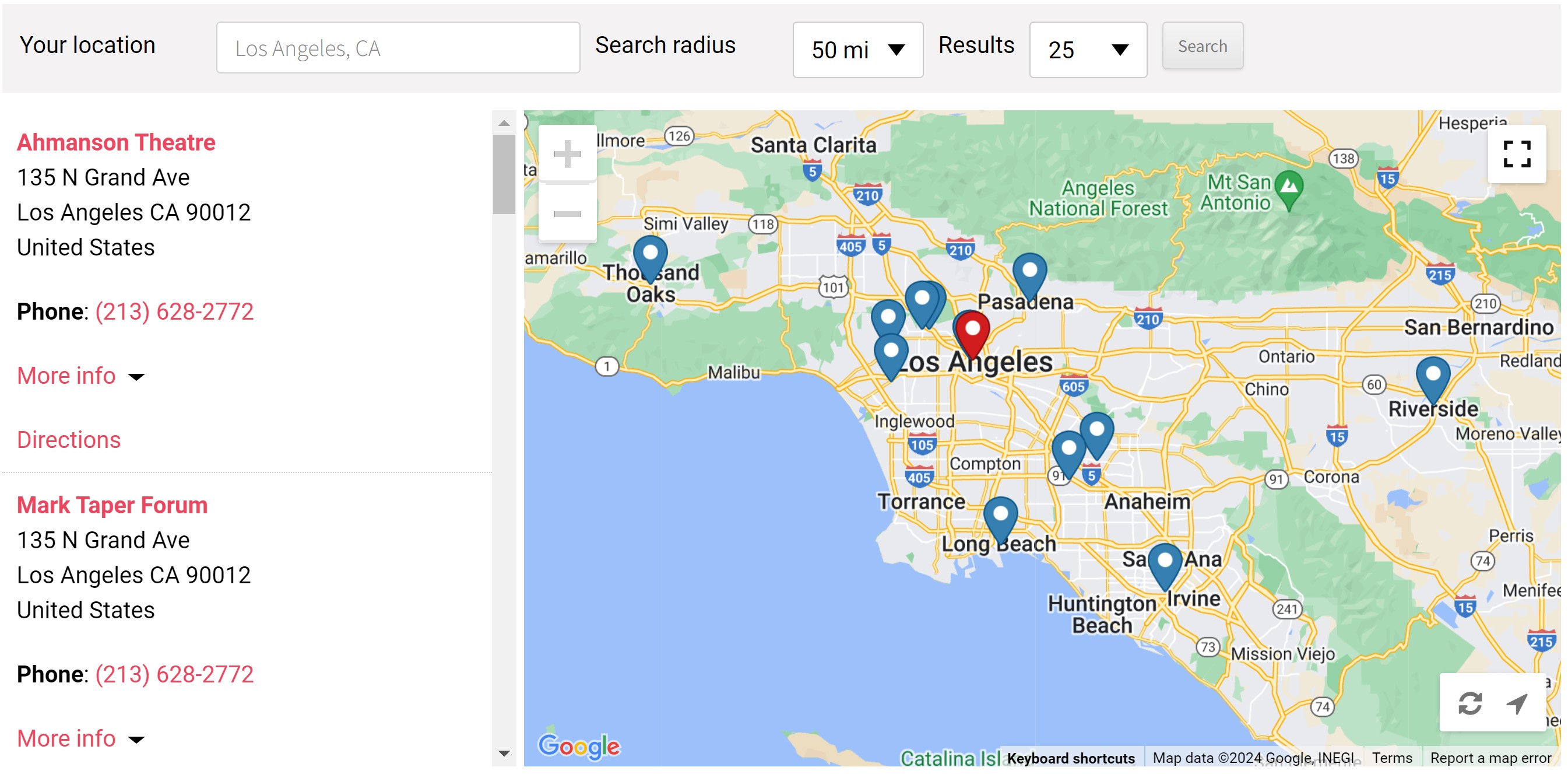
A list of venues within the range will be populated on the left. The list of venues is in order from closest to farthest based on your location. In some cases, you may have to scroll down to see additional venues.
On the section with the map, a red pin shows you your location, while blue pins are placed at the addresses where the venues are located. You can zoom in and out to better view the specific locations. When you click on one of the blue markers, information about that venue will appear in a pop up:

As you can see, the name of the venue is listed, as well as the address, phone number and email (if available). You can also click on Directions to provide a route to the venue based on your location. If you click on the name of the venue, you will be directed to that venue’s website.
To help you better see which venue you’re currently interested in, the blue marker will bounce as you scroll through the list of venues on the left-hand side. Here’s a video demonstrating this feature:
3. Venue Information
Back to the list of venues on the left, basic information about the venue is listed that will be of use. This includes:
- Name of venue (linked to venue’s website)
- Address of venue
- Phone number
- Email address (if available)
- Directions (if clicked, a new tab will open with directions to the venue based on your location)
There is also a More Info tab that, when clicked, provides the following information:
- Venue page (if clicked, a new tab will open taking you to the venue’s page on our site)
- Current shows and dates (if applicable)
- Social Media links
Here’s an example of how this will appear:
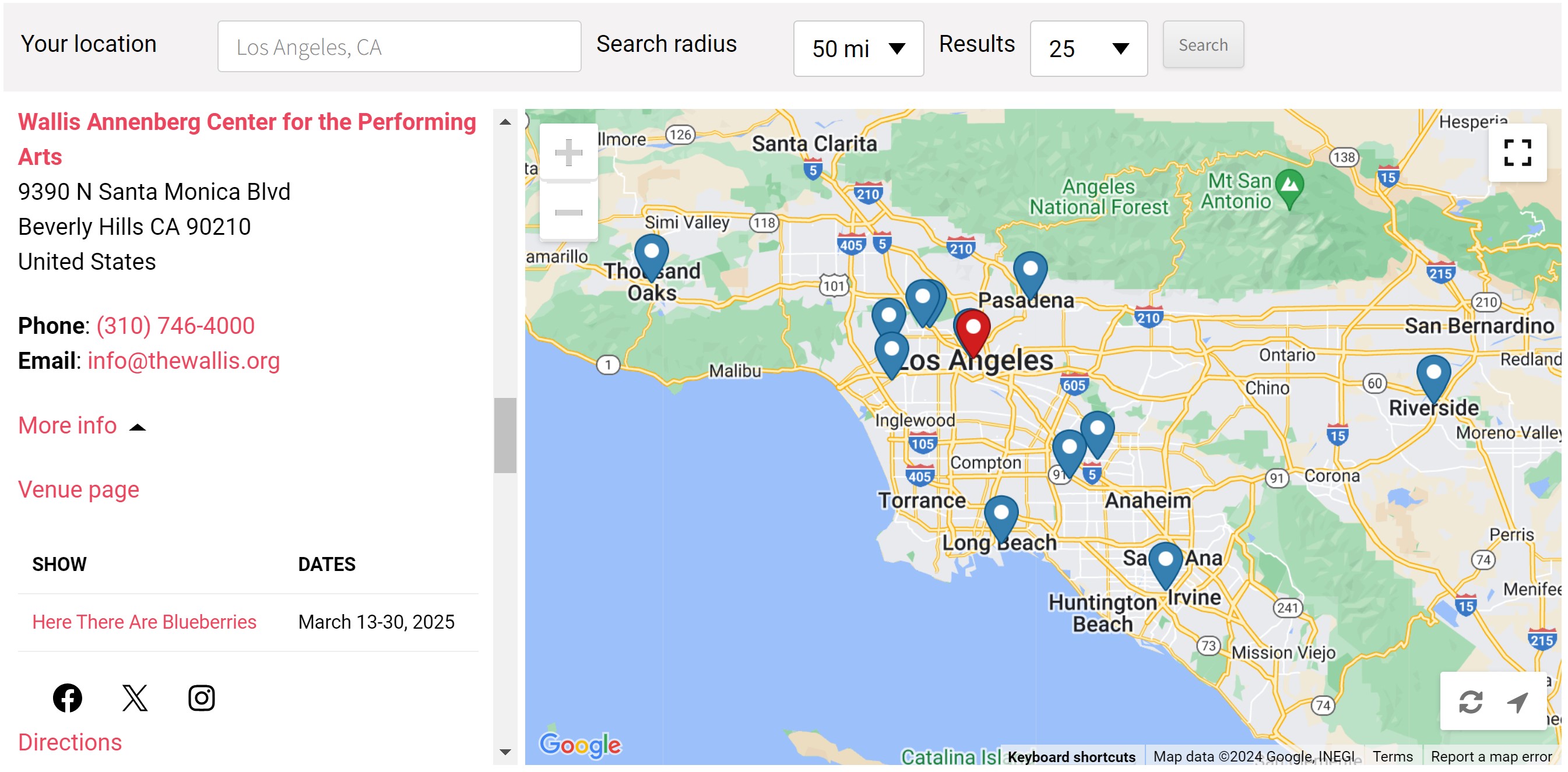
Regarding the current list of shows, it will not be broken down by season, but will be a running tally of shows we cover that are expected to play at any given venue. So, when the 25/26 seasons are announced, the shows will be added to the current listing even if a venue still has shows from the 24/25 season scheduled to play. To view the breakdown by season, you will need to visit the individual venue page. Likewise, if you wish to purchase tickets using the links on my site, you will need to visit the venue’s page.
Currently, there are around 500 venues in the directory from the US, Canada and Mexico. More could have been added, and will be when applicable, but the venues that are not listed have not had a qualifying show for a few seasons. So, to be respectful of your time and need for fast and concise information, only active venues are listed. These inactive venues, however, will be listed in a searchable table of all venues, which will be completed soon.
4. Toolbar
The toolbar on the top provides you with a few features that might be useful.
Location
If you allowed the application to automatically locate you, then the name of that city or town will appear in this area. However, if you want to search for a location outside of your known area, you can also manually search. As you type in the name of the location, results will auto-populate, so select the location you desire from the list and then hit either Enter on your keyboard, or Search on the right-hand side of the toolbar.
Search radius
The default for this is set to 50 miles. However, you can select a different radius by clicking the down arrow and selecting the radius you desire.
Results
Here, you can also customize how many results you see when you search for a location. The default is set to 25, but you can select the desired amount in this area. Depending on your selected radius, there may be more than 25 venues, so play around with this feature. Here, for example, is how the map looks when I have set my location as Milwaukee, WI, the radius as 500 miles, and the number of results as 100:

5. Additional tools
There are a few tools in the map section to help assist your experience. You can do any of the following:
- Zoom in and out (top left)
- Few in full screen (top right)
- Reset the map to the default settings (bottom right, on the left)
- Reset the geolocation feature (bottom right, on the right)
Conclusion
I am really excited about this new feature the site. One way I can see if being beneficial is if you’re on vacation and you want to know which shows are playing around you. Here, you can easily come to this page, and it will provide you with the necessary information to help you better plan. Likewise, if you already live in a city and want to know more about the venues nearby, this feature will be able to provide a quick snippet of data.